

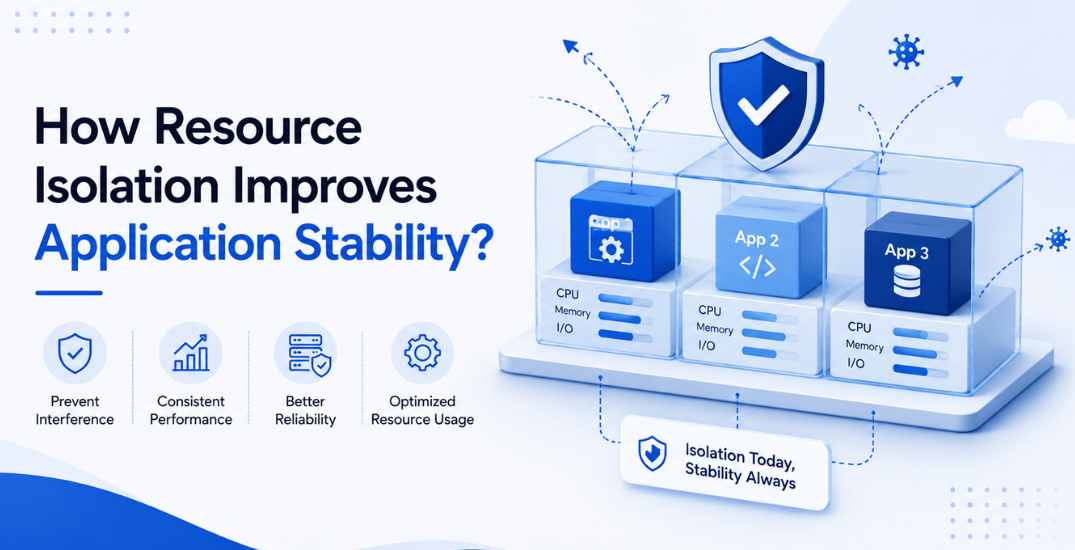
Every application that performs consistently, even under heavy demand, shares one quality: predictable access to the resources it depends on. That predictability rarely happens by accident. It comes from resource isolation, the practice of separating CPU, memory, and storage in a way that keeps each workload within clearly defined limits. This is the core idea behind Windows Server dedicated hosting, where isolated environments keep one client’s activity from ever touching another’s performance.
Price naturally factors into any hosting decision, and many businesses search for the best budget dedicated server in India expecting savings without compromise. Isolation quality, far more than raw specifications on a brochure, determines whether that search pays off. Weak resource separation in a plan often leads to frequent slowdowns, quietly negating any upfront savings. Comparing how a server allocates resources matters just as much as comparing prices.
What Is Resource Isolation?
Resource isolation separates CPU, memory, disk input-output, and network bandwidth among applications running on shared or dedicated infrastructure. Instead of competing for capacity on a first-come basis, each workload gets a resource share set by configuration, not chance.
On Linux, control groups handle this job; on Windows, it’s Job Objects. Containers and virtual machines work the same way, keeping these boundaries enforced right at the OS level. When one process reaches peak load, isolation keeps it from consuming neighboring applications’ resources, which they need to keep running.
Why Applications Compete
Multiple applications sharing infrastructure inevitably compete for identical resources at some point. A backup job running overnight, a database processes reporting queries, and a customer-facing web application may all request CPU cycles within the same narrow window, often without any coordination between them.
Without isolation, whichever process claims resources first wins, and everything else waits its turn. Response times slow, transactions fail, and users notice the lag during peak hours, particularly on servers hosting several client websites within a single environment where one busy tenant quietly drags down the rest.
Isolation at OS Level
Windows Server applies Job Objects and Resource Governor settings to cap CPU and memory consumption per application or user session, keeping one workload from overwhelming another running on the same machine.
MilesWeb configures these controls at the infrastructure level across its dedicated environments. A traffic spike on one account never translates into slower load times for a neighboring one, because boundaries are set well before a server reaches a customer.
Impact on Uptime
Applications operating within isolated resource boundaries recover faster from unexpected traffic spikes. With headroom left for other workloads, the server can handle a crash from any single application without dragging the rest down and recover from it faster too.
Uptime Institute’s outage report shows IT and networking problems caused nearly a quarter of all major outages, driven by rising infrastructure complexity and ongoing configuration mistakes. Resource isolation addresses that category of risk directly, removing one of the more common triggers behind unplanned downtime.
Troubleshooting becomes easier too. When an application misbehaves on a well-isolated server, administrators identify the affected process quickly, since its resource consumption remains visible rather than blended into a shared pool.
Monitoring and Tuning
Isolation is not a one-time setup. Workload patterns shift as applications grow, features launch, or traffic changes with the seasons, and limits set a year ago rarely stay accurate forever. When admins track CPU, memory, and disk usage over time, they can catch the moment limits need adjusting before slowdowns reach end users.
Windows Server includes native tools, and third-party dashboards are also available to track resource consumption per process over time. Checking these metrics every month lets administrators spot resource usage climbing early, before customers notice, so performance holds steady as the environment changes.
Choosing the Right Setup
Businesses looking at hosting options shouldn’t just trust the advertised specs; they should check how providers enforce resource limits in practice. Two servers with identical CPU and RAM listings may appear equal on paper yet perform very differently once real traffic hits them, since the underlying allocation logic rarely shows up in a spec sheet.
A provider that documents its isolation approach, publishes clear resource limits per plan, and supports scaling without service interruption gives applications room to grow without instability. This holds true whether the environment runs a single application or several client websites at once.
Werner Vogels, Amazon’s long-time CTO, has pointed out for years that everything fails eventually, and infrastructure should be designed with that reality in mind rather than against it. Resource isolation puts that idea into practice by containing failure instead of letting it spread across a shared server.
Concluding Insights
Resource isolation turns unpredictable server behavior into something administrators plan around with confidence. Applications don’t compete for the same CPU and memory pool anymore, so each workload stays reliable, even during traffic spikes or maintenance windows.
MilesWeb builds this thinking into its Windows-based dedicated plans, pairing configured resource boundaries with practical extras such as free professional email accounts and daily backups. Setting up resource isolation correctly from the start saves teams from firefighting later. Businesses that treat it as a core requirement get applications that stay responsive regardless of how the workload around them changes.
